
Generate a VPAT / ACR
Produce an editable VPAT 2.5 draft from your latest scan.
A VPAT (Voluntary Product Accessibility Template) is the document many buyers, especially government and education, ask for when they evaluate software. The completed document is called an Accessibility Conformance Report (ACR). We generate an editable VPAT 2.5 draft against WCAG 2.2 Level AA from your latest scan. VPAT generation is included on the Pro plan.
Generate one
- Confirm you own the site and make sure its latest scan finished without hitting the page limit, or run a template scan if your site is large and its pages share layouts.
- Open the site, choose Settings and find "VPAT / ACR generator".
- Fill in the product name, a version, and a contact name and email.
- Add notes if the reader should know something about how the evaluation was done.
- Select Generate VPAT and download the document.
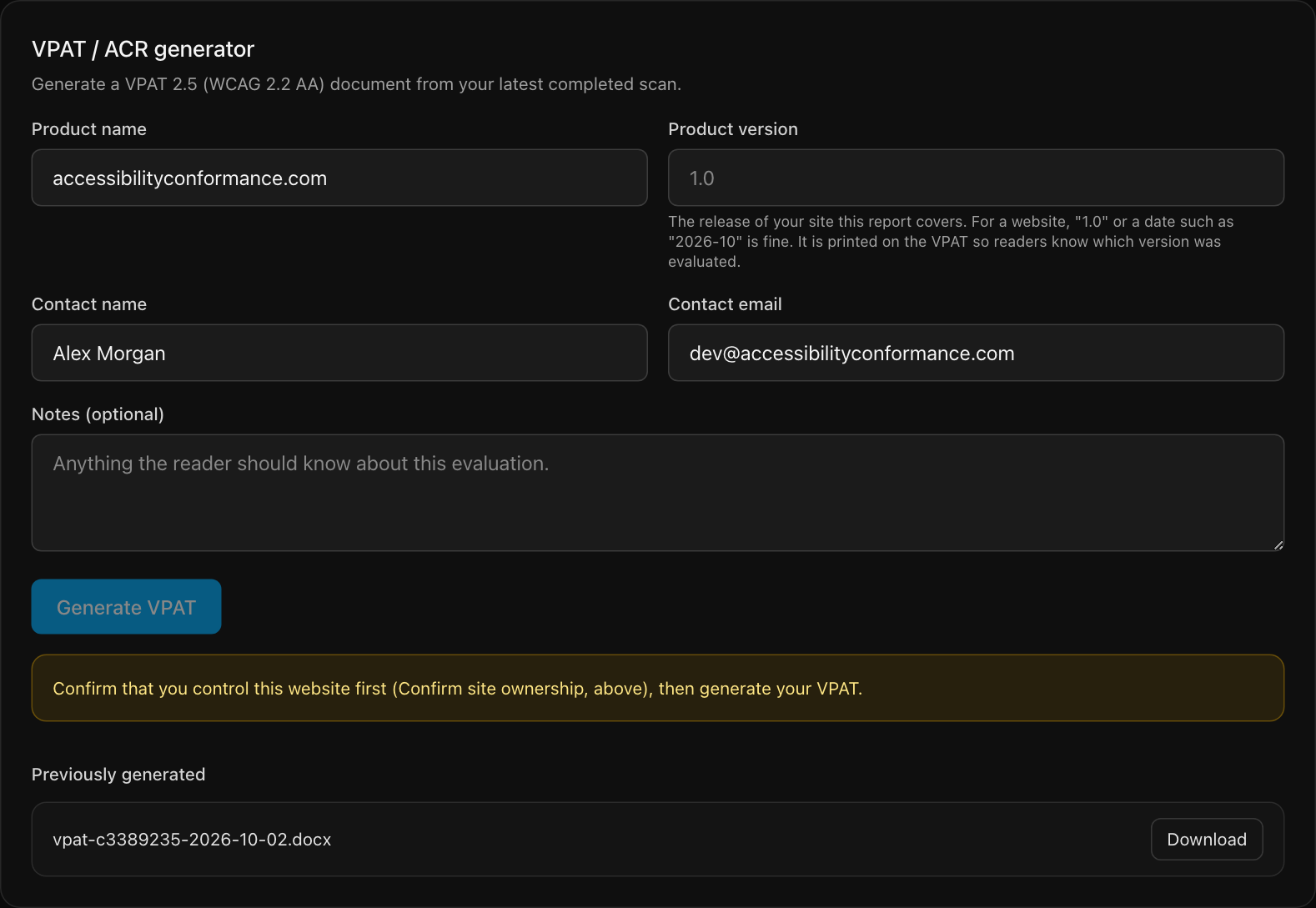
The product version is the release of your site the report covers. For a website, "1.0" or a date such as "2026-10" is fine. It is printed on the document so readers know which version was evaluated. Earlier VPATs stay listed under "Previously generated".
How each criterion is reported
Automation can test only part of WCAG, so the document is deliberately cautious. It never says "Supports" for something nobody has checked by hand.
| Term in the document | What it means |
|---|---|
| Automated Checks Passed | The criterion was tested by automation and no problems were found. Manual checking is still needed to confirm support. |
| Does Not Support | The scan found at least one critical or serious failure related to this criterion. |
| Partially Supports | The scan found only moderate or minor failures related to this criterion. |
| Not Evaluated | Automation cannot test this criterion, so nothing is claimed about it. This includes most new WCAG 2.2 criteria. |
| Not Applicable | The criterion does not apply. For example, media criteria are marked this way when the scan found no audio or video. |
Finish it before you share it
The file is a draft in an editable Word format. A buyer will expect it to be accurate, so before you send it:
- Test the "Not Evaluated" criteria yourself, or have a specialist do it. Start with the manual pass in what scans can and cannot find.
- Replace "Automated Checks Passed" with your own conclusion where you have confirmed support.
- Add remarks that explain workarounds or fix dates for anything that does not support a criterion.
- Have the person who signs off on compliance read it.
Still stuck? Contact us with your site address and what you expected to happen.